For CIOs, the digital workplace is now a direct driver of business performance. Productivity, cybersecurity resilience, IT agility, and cost efficiency are shaped by how organizations deliver and manage digital workspaces.
Success is no longer measured solely by cloud migration. It is measured by user experience, operational efficiency, Azure cost optimization, application performance, and secure support for a distributed workforce at scale. As enterprises accelerate cloud adoption, AI initiatives, and Zero Trust strategies, many are discovering that managing Azure Virtual Desktop (AVD) requires more than infrastructure expertise.
This is why enterprises increasingly turn to managed Azure Virtual Desktop services. With the right expertise, AVD can evolve into a resilient, scalable, and business-aligned digital workspace that improves workforce productivity, strengthens security, and delivers long-term business value.
Here’s all you need to understand about AVD before beginning your AVD journey:
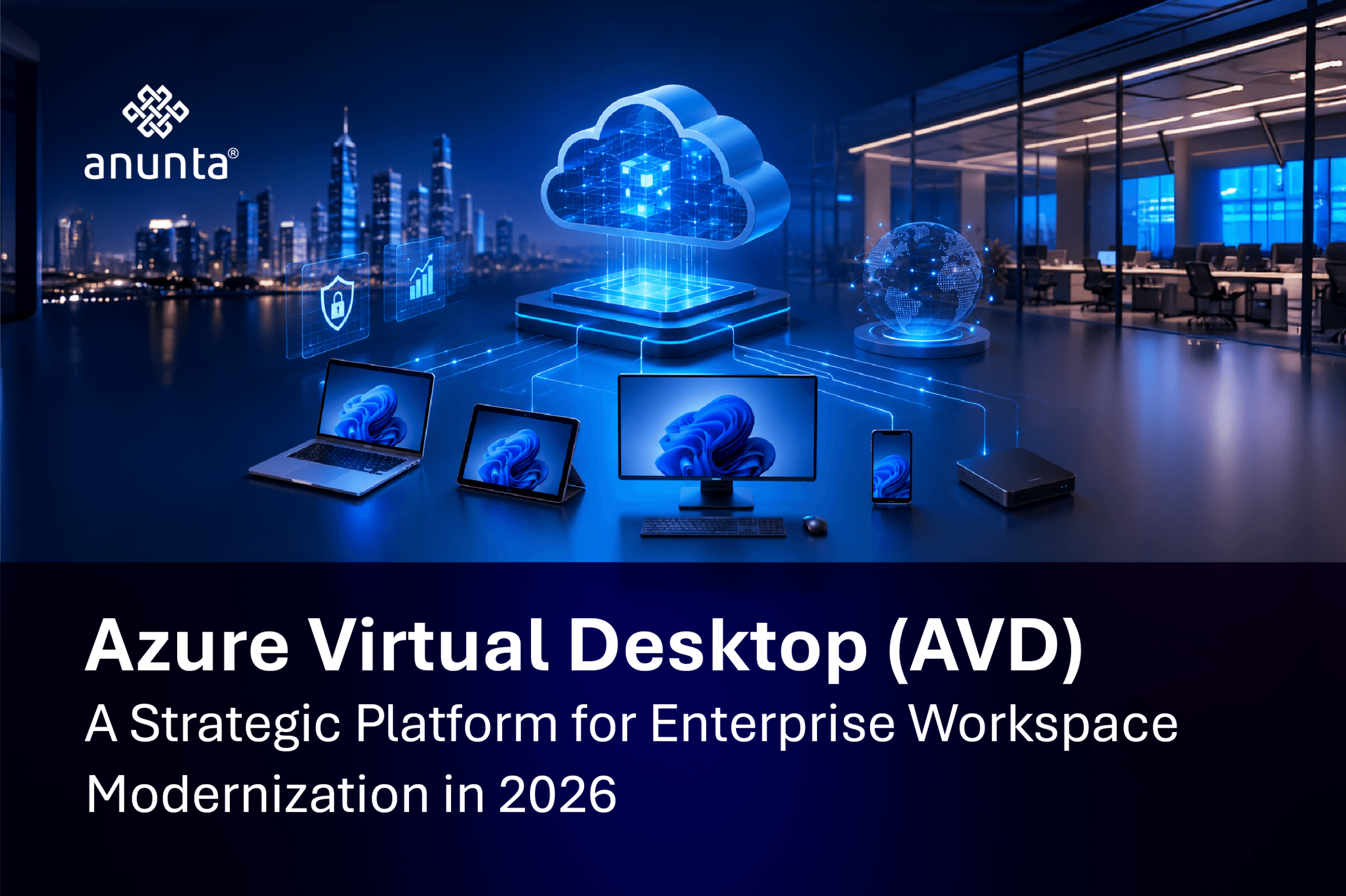
Microsoft’s Azure Virtual Desktop (AVD) is an innovative way to provide virtual desktops and applications to employees over the AVD cloud desktop solution. Companies can deliver secure, policy-controlled access to fully functional Windows Desktop environments, Remote Applications, and Hybrid Workspaces without maintaining any existing, outdated on-premises VDI infrastructure.
One major architectural advantage of AVD is the ability to run both multi-user Windows 10 and Windows 11 operating systems on a single VM. This allows multiple users to connect to one VM and have separate, personalized desktop experiences. As a result, organizations can achieve much greater resource utilization and reduce their costs.
AVD integrates natively with the full Microsoft security and productivity ecosystem:
What makes AVD unique compared to other virtual desktop providers is that AVD is built on Microsoft’s infrastructure and provides users access to Microsoft’s full ecosystem of products and services, not just a layer of third-party products or services. This foundation also sets up the architectural overview that follows.
Overview of the AVD Architecture:
Organizations can configure the following types of desktops:
Due to the flexibility of these architectures, AVD is one of the most robust enterprise workspace solutions available today for organizations that are transitioning to a hybrid workforce model. That flexibility also explains why AVD supports broader enterprise use cases beyond basic desktop delivery.
Many organizations look at AVD solely from the perspective of remote access. This limited lens undervalues its ability to deliver a tremendous range of enterprise capabilities. The next areas show how that broader value translates into strategic advantages.
1. Lower Infrastructure Costs
A traditional Virtual Desktop Infrastructure (VDI) is quite costly to set up and requires ongoing support and maintenance.
The introduction of AVD allows for an elastic computing resource, so organizations will only be charged for the Azure resources they consume, along with the auto-scaling capability to eliminate costs associated with ‘waiting for work’ on the infrastructure to be completed.
For example, Anunta assisted a frontline Indian life insurer to migrate 1,200 users and over 1,000 endpoints to AVD in just 25 days. The migration modernized their operations at 200 different branch locations while providing enhanced scalability and centralized control.
With their extensive experience in workspace transformation, Anunta offers enterprises a complete service, helping them optimize their Azure consumption, performance, and operations from the very first day of migration.
2. Enterprise-Grade Security
Hybrid working has increased enterprises’ attack surface. Remote desktop on Azure benefits enable enterprises to improve security through the following measures. This security focus connects directly to the next discussion of day-to-day operational control.
3. Centralized Data Protection Frameworks
Since applications and sensitive data reside in Azure, endpoints are much less likely to be attacked.
In addition to securing AVD applications and data, Anunta enhances an enterprise’s security posture by implementing Governance Frameworks, Proactive Monitoring, and Managed AVD Operations for Regulated Industries such as BFSI, Health Services, Insurance, and Business Process Management. This broader operational approach sets the stage for the next area of hybrid work enablement.
4. Seamless Hybrid Work Enablement
With AVD hybrid work deployment, employees can securely access the full Windows desktop experience from:
This makes AVD well-suited for global enterprises, remote-first work environments, offshore delivery centers, BYODs, and seasonal worker expansion.
Anunta has a track record of successfully delivering large-scale digital transformation projects for global enterprises, improving both individual employee productivity and ensuring consistent user experience across the enterprise. Those outcomes lead naturally into the operational simplification that follows.
5. Simplified IT Operations
Azure Virtual Desktop focuses on centralizing desktop administration using:
Using AVD hybrid work deployment options provides your IT teams with rapid deployment, ease of deployment via patch management processes, and enhanced visibility across distributed environments.
Anunta’s managed AVD service builds on these delivery enhancements by providing 24/7 support, including monitoring, optimizing, user experience analytics, and ongoing cloud operations support.
Anunta’s ability to assist large companies in scaling and optimizing their cloud desktop solutions without disrupting their day-to-day business operations is noteworthy. For example, when Anunta implemented Azure Virtual Desktop for an international steel producer operating in 26 countries and employing over 80,000 people, the company experienced users being logged out, sessions freezing, applications slowing, and recurring performance issues that hindered productivity.
After optimizing the AVD solution for the client, the company resolved 465 IT support requests, improved users’ ability to respond to desktop issues faster, and received 332 positive user testimonials about the new experience provided by the AVD solution.
The streamlined onboarding process has reduced from several days to a matter of hours, illustrating that there are times when measurable operational improvements are as important as comparing features. This leads into the final comparison of platform choices.
IT decision-makers evaluating cloud desktop solutions often struggle to distinguish among the three major platforms. Let’s clear the fog between Azure Virtual Desktop, and Windows 365.
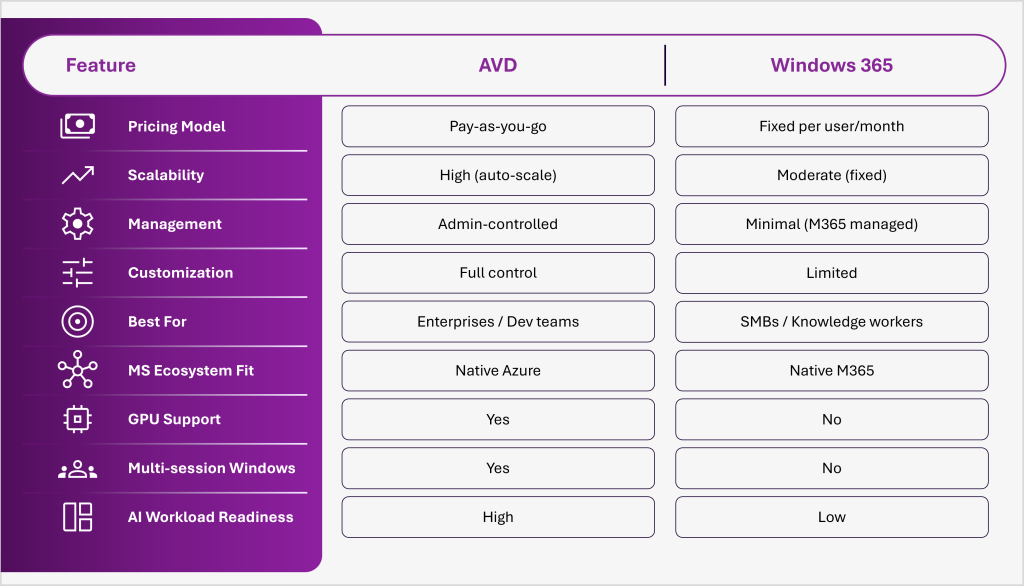
Choose AVD when your organization requires granular control, GPU workloads, multi-session Windows, AI-ready infrastructure, or is already operating within the Azure ecosystem. It is the strategic power tool in this comparison – built for enterprises that demand full sovereignty over their cloud desktop environment.
Choose Windows 365 when simplicity is the priority: fixed monthly pricing, no infrastructure management, and a purely Microsoft 365-managed experience for users who do not require customization.
The enterprise workplace of 2026 is connected, distributed, AI-augmented, and always on. The desktop infrastructure supporting it must be equally capable, secure by design, operationally sovereign, cost-governed, and ready for the AI workloads that are redefining productivity.
Azure Virtual Desktop provides that foundation. Anunta provides the expertise, managed operations, and transformation delivery capability to ensure it performs at its full potential, from day one and continuously thereafter.
Organizations that modernize their digital workspace infrastructure today are not simply solving a remote access problem. They are building the operational platform that will run their business for the next decade.
To receive your own customized AVD setup and configuration guide, connect with an Anunta expert today.
Q1. Is Azure Virtual Desktop the same as Windows Virtual Desktop?
Yes – Microsoft rebranded Windows Virtual Desktop (WVD) to Azure Virtual Desktop (AVD) in 2021. The service is the same platform with expanded features.
Q2. Does AVD support macOS and mobile devices?
Yes. Users can access AVD via the Windows App (available on macOS, iOS, Android) or any HTML5-compatible web browser.
Q3. How is AVD different from a traditional Remote Desktop Server (RDS)?
AVD runs on Azure and supports Windows 10/11 multi-session, scalable host pools, and modern identity management. RDS requires on-premises infrastructure and lacks native cloud scalability.
Q4. Can AVD support hybrid work deployments?
Absolutely. AVD hybrid work deployment is purpose-built for hybrid and remote work – employees get a full Windows desktop from any device, secured by Azure AD Conditional Access.