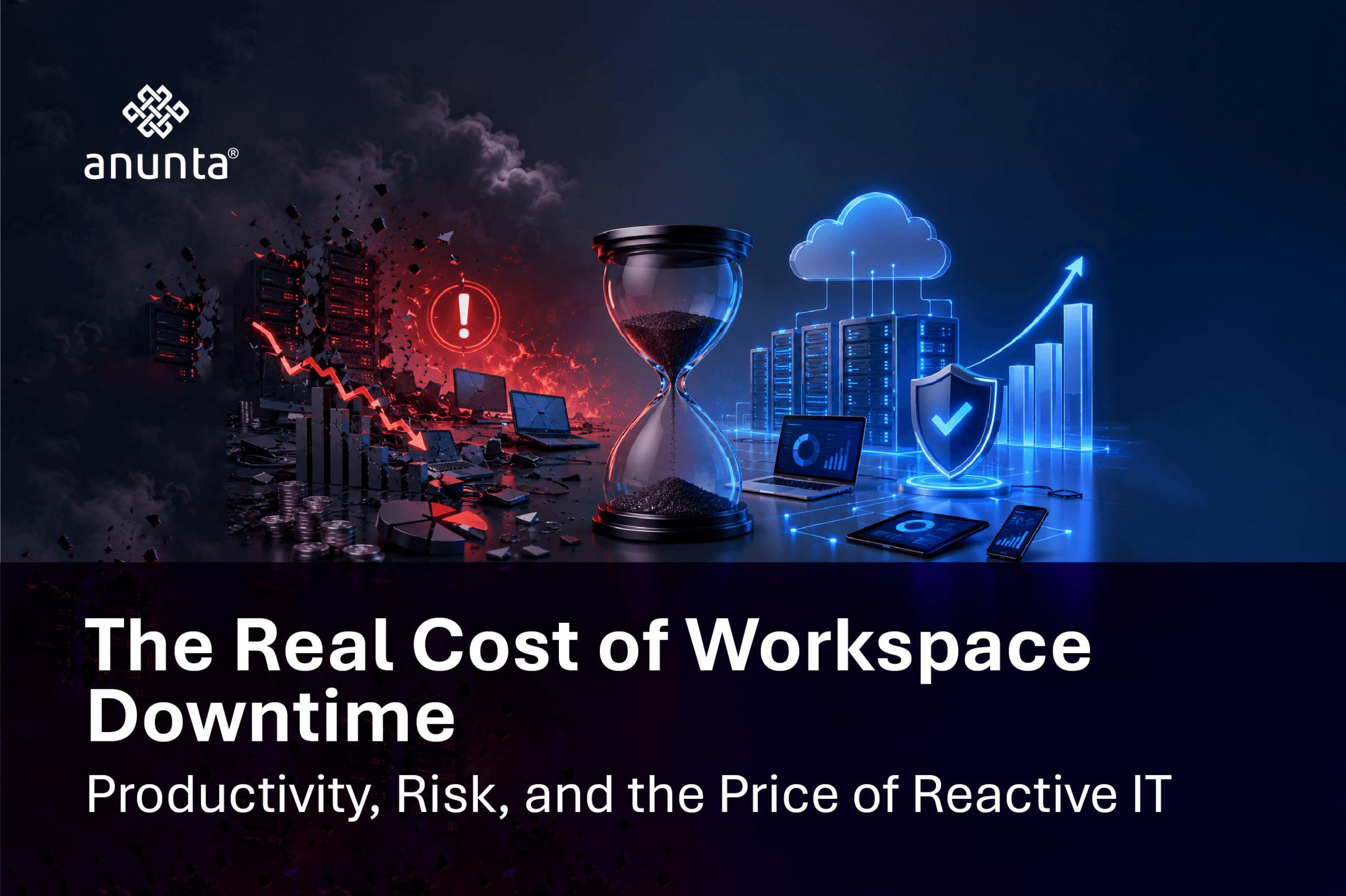
On Monday morning, a mid-size enterprise workforce logs in, and the virtual desktops fail to load. No error message, no clear owner, just a help desk queue filling up while three hundred employees sit idle. Most businesses budget for outages after they happen, not before. The cost of IT downtime for business goes far beyond the visible outage window, and by the time anyone calculates the real number, the damage is already several layers deep. According to Gartner’s widely cited benchmark, the average cost of IT downtime is $5,600 per minute, or roughly $336,000 per hour, across industries. This article covers what downtime actually costs, why hybrid work has raised the stakes, and why proactive IT managed services change the underlying economics.
Hybrid and distributed teams depend on virtual desktops, SaaS tools, and always-on connectivity to function at all. A single endpoint or VDI failure no longer affects one office. It affects every location that the workforce touches at once. Your IT team’s visibility is also harder to maintain in a distributed environment, so downtime often goes undetected for longer before anyone raises a ticket, let alone diagnoses the root cause.
This is exactly where a centralized approach to digital workspace reliability matters. Distributed endpoints need centralized monitoring, not device-by-device firefighting after the fact. Downtime in a hybrid enterprise is no longer an occasional inconvenience. It is an operational risk category that deserves its own line in the risk register, just like security or compliance.
The cost of downtime breaks down into four components: lost employee productivity, lost revenue or missed transactions, recovery and labor costs, and reputational or compliance risks. Gartner’s benchmark of $5,600 per minute captures only the direct financial exposure. It does not capture what happens next.
According to Statista-published data sourced from the Uptime Institute, 17% of IT and data center outages worldwide were rated as having a significant impact on the organization as of 2023, and separate Statista-sourced research found that almost half of data center operators point to staff failing to follow procedures as the leading cause behind their most serious human-error-related outages. Outages, in other words, are not rare edge cases. They are a recurring, largely preventable line item.
Consider a straightforward example. A 50-employee team sits idle for two hours during a virtual desktop outage. At an average loaded labor cost of 40 dollars an hour, that is 4,000 dollars in wasted payroll before a single missed deadline or delayed customer response is counted. The visible outage minute is the smallest part of the bill. Catch-up work, missed deadlines, and a backed-up help desk queue extend the real cost well past the moment the fix goes in.
Scale that same math to a 500-person enterprise, and a routine two-hour incident stops looking routine at all. Multiply the per-minute Gartner figure across a full outage window, and even a mid-severity event clears six figures before recovery labor and any customer-facing fallout are added in. That is precisely why the cost of downtime cannot be treated as an IT line item alone. It is a business continuity number, and it belongs in the same conversation as revenue forecasting and risk planning, not buried in a post-incident report nobody outside IT ever reads.
Reactive IT management is support that begins only after a user reports a problem, meaning downtime has already begun before anyone responds. Proactive IT management uses continuous monitoring, predictive alerting, patching, and capacity planning to detect failure signals before users are affected.
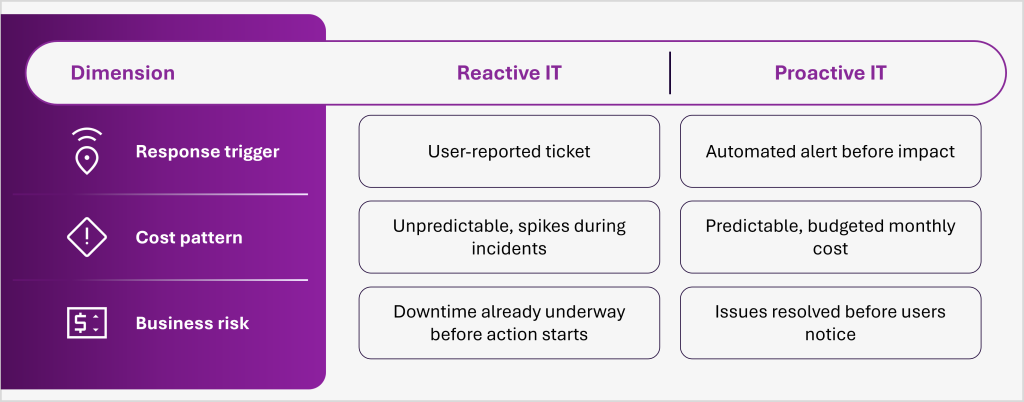
Proactive IT is not an added expense sitting on top of your existing IT budget. It is risk mitigation with a measurable return, and the comparison above is the argument in miniature: one model waits for the bill, the other one caps it in advance.
Proactive endpoint management includes 24/7 monitoring, automated health checks, patch and update management, and early failure detection at the device and virtual desktop layers. Managed endpoint monitoring shortens both mean time to detect and mean time to resolve, and that gap between detection and resolution is where most of the downtime cost calculated above is actually created.
This connects directly back to the hybrid workforce risk covered earlier. Endpoints are the new perimeter, and unmonitored endpoints are where downtime starts, quietly, long before a user ever picks up the phone.
The operational shift for IT teams is straightforward to describe and harder to achieve without the right tooling: instead of reacting to the fire, IT identifies the smoke. Predictive alerts flag a failing disk, a memory leak, or a degrading connection before they become support tickets, turning a full outage into a scheduled maintenance window instead.
A meaningful virtual desktop availability SLA should guarantee a specific uptime percentage, defined response and resolution times by severity level, clear escalation paths, and regular reporting against those exact commitments. A vague promise of “high availability” with no measurable reporting attached is not really an SLA; it is a marketing sentence.
Business continuity itself is a service layer, not just a disaster recovery document sitting in a shared drive. It includes tested failover, backup connectivity, and an incident response plan that has actually been rehearsed, not just written. Before signing with any IT partner, ask directly: what uptime percentage is guaranteed in writing, what is the resolution time by severity level, and how often will performance against that SLA actually be reported back to you.
Reframe the decision as a straightforward cost comparison: the predictable, budgeted cost of proactive managed services against the unpredictable, often far higher cost of reactive downtime. Run a simple internal exercise. Multiply your average hourly downtime cost by your expected outage hours per year, then compare that number against the annual cost of a managed services contract. For most enterprises, the math resolves faster than expected.
AI-assisted monitoring and predictive alerting are also pushing proactive IT from best practice toward baseline expectation. The enterprises that treat this as optional today are the ones budgeting for next year’s avoidable outage.
First, calculate your actual hourly downtime exposure instead of relying on an industry average. Second, compare that number honestly with what a proactive managed services model would cost over a full year. Lastly, treat the decision as a risk budget, not a discretionary IT spend, because that is what it is once the math is on the table.
Downtime cost is measurable, hybrid work has raised the stakes, and reactive IT guarantees you pay the most expensive version of that cost every time. Proactive IT is risk mitigation, not overhead, and enterprises that treat it that way are the ones avoiding preventable disruption, protecting continuity, and staying out of the wrong headlines.
Anunta helps enterprises move from reactive firefighting to proactive, monitored digital workspace reliability, backed by managed endpoint monitoring and a tested approach to business continuity. Talk to Anunta’s team about a workspace reliability review to see exactly where your current downtime exposure sits and what action to take next.
1. What is considered IT downtime for a business?
IT downtime is any period during which critical systems, applications, or virtual desktops are unavailable or too degraded for employees to perform normal work. This includes full outages as well as partial slowdowns, sometimes called brownouts, where systems are technically online but too slow to actually use.
2. How is the cost of IT downtime actually calculated?
The cost combines lost employee productivity, lost revenue during the outage window, IT recovery labor, and any compliance or reputational impact. Most businesses estimate this by calculating average revenue per hour and average employee cost per hour, then multiplying by outage duration and the share of staff affected.
3. What is the difference between reactive and proactive IT management?
Reactive IT management responds to problems only after a user reports them, so downtime has already begun by the time support starts. Proactive IT management uses continuous monitoring and predictive alerts to detect and resolve issues before they cause any noticeable outage.
4. What should a virtual desktop availability SLA include?
A meaningful SLA should specify a guaranteed uptime percentage, defined response and resolution times by severity level, clear escalation procedures, and regular reporting on actual performance against those commitments. A vague uptime promise without measurable reporting is not a real SLA.
5. Can proactive IT management fully eliminate downtime?
No approach eliminates downtime entirely, since hardware failures, third-party outages, and human error remain possible in any environment. Proactive IT management significantly reduces the frequency and duration of incidents by catching early warning signs, thereby lowering both the financial and operational impact when something does go wrong.